
Drop into deep work
No Reels. No Notifications. No Interruptions
Methodical Focus Is How You Get Ahead And Win At College.
Digital Diet
The Ultimate
Screen Time App
Deadlines
Higher Grades.
Fewer All-Nighters
Flow Blocks
Finally, Productivity
For Academic Life
copy & paste
Capture It Once.
Study The Right Things
TRUSTED BY STUDENTS AT
PEER-REVIEWED RESEARCH
"To Learn Hard Things Quickly,
You Must Focus Intensely
Without Distraction."

— Cal Newport, Ph.D. MIT,
Author Of Deep Work

Gloria Mark, Ph.D., Amishi Jha, Ph.D., and Adam Gazzaley, M.D., Ph.D., make it irrefutable: sustained endogenous attention is the defining skill for excellence. Yet, continuous partial attention and rapid task-switching have become the norm. The cost? An insane cognitive recontextualization tax — degrading retention, lengthening the time it takes to learn, and compounding stress in return for absolutely nothing except a few superficial dopamine bursts.
Six findings. One conclusion: protect your attentionand your life measurably improves.
Telos · The Evidence
at a glance
At Telos
we believe
Technology should support your intention, not capture and hold your attention
You're surrounded by brilliant people. how you still excel is
Methodical focus
In the
21st century
Willpower is not going to cut it 24/7/365.
Sustained, undivided focus is becoming the rarest, most valuable skill on the planet. A habit for focus tomorrow starts with a methodical system today.
exclusive
Access
Do you have
the secret code?
Only available for the students who walk the courtyards, work the labs, and pull all-nighters in the libraries of MIT and Harvard.
Classes, psets, deadlines, papers.
The semester blurs fast.
Telos keeps you sharp.
This is not a blocker app.
This is a
holistic system for intentional living.

Time and task management meet the next 21st Century essential: AI-powered attention management.
2X
2X
For ivy league
plus students
FREE
Of Charge
+
Free of surveillance.
you need a
quiet place in a
Distracted world
Why leave getting it
up to chance?
Task Management
Assists
These
Time Management
Syncs
These
Attention Management
blocks
these
utility
Trusted at elite universities
by The Curve-Breakers
digital diet
Healthy Use Isn't Willpower.
It's Environment Design.
Selective attention, working memory, and goal management — the three pillars of elite performance and all under fire in the 21st Century. We tap our phones 2,600 times a day, get interrupted every six minutes of our waking lives, and consume 4.5 hours of meaningless dopamine bursts.

The phone has become the mother of all Pavlovian bells. Most accept this as the cost of being online. The ones at the top of the class don't.
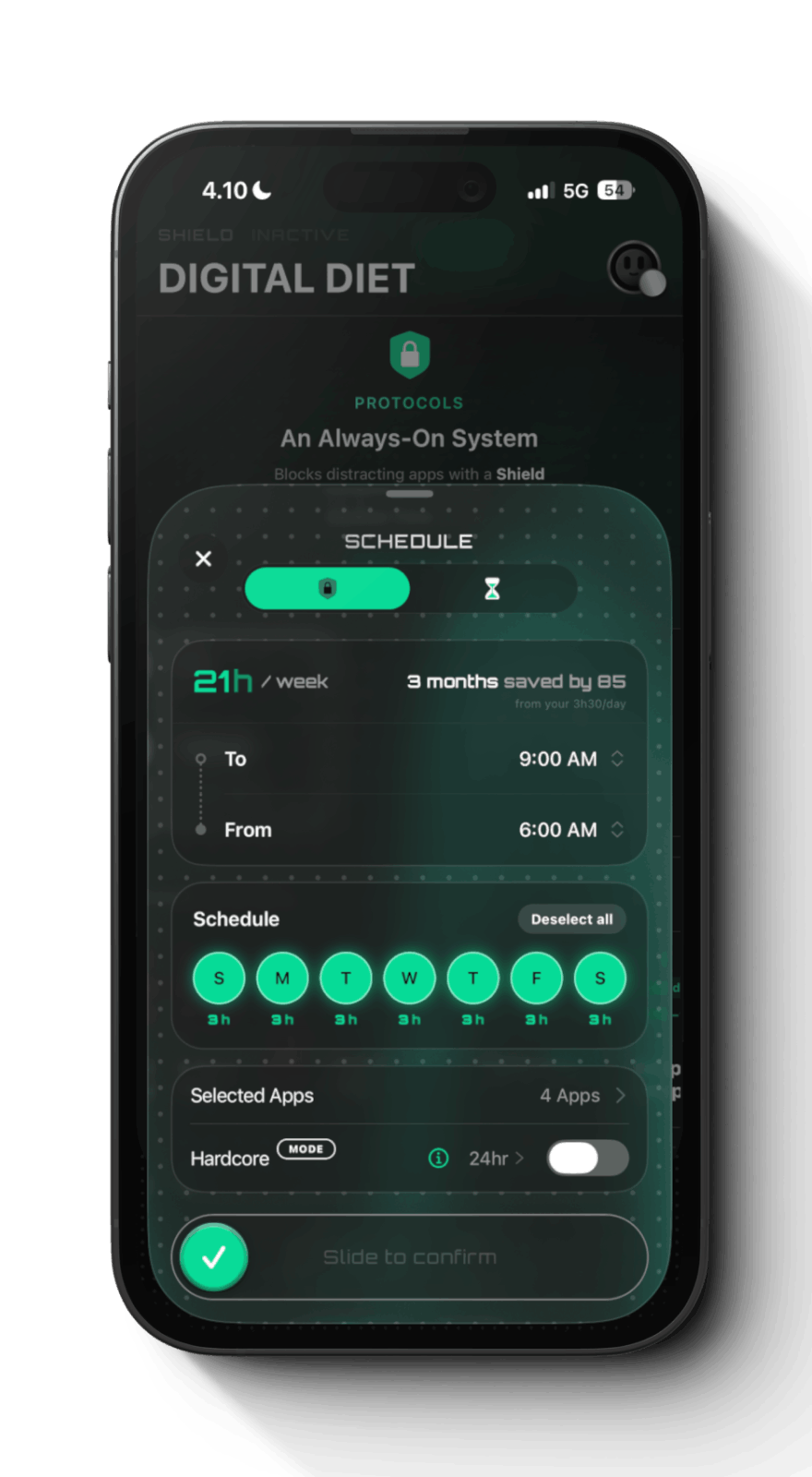
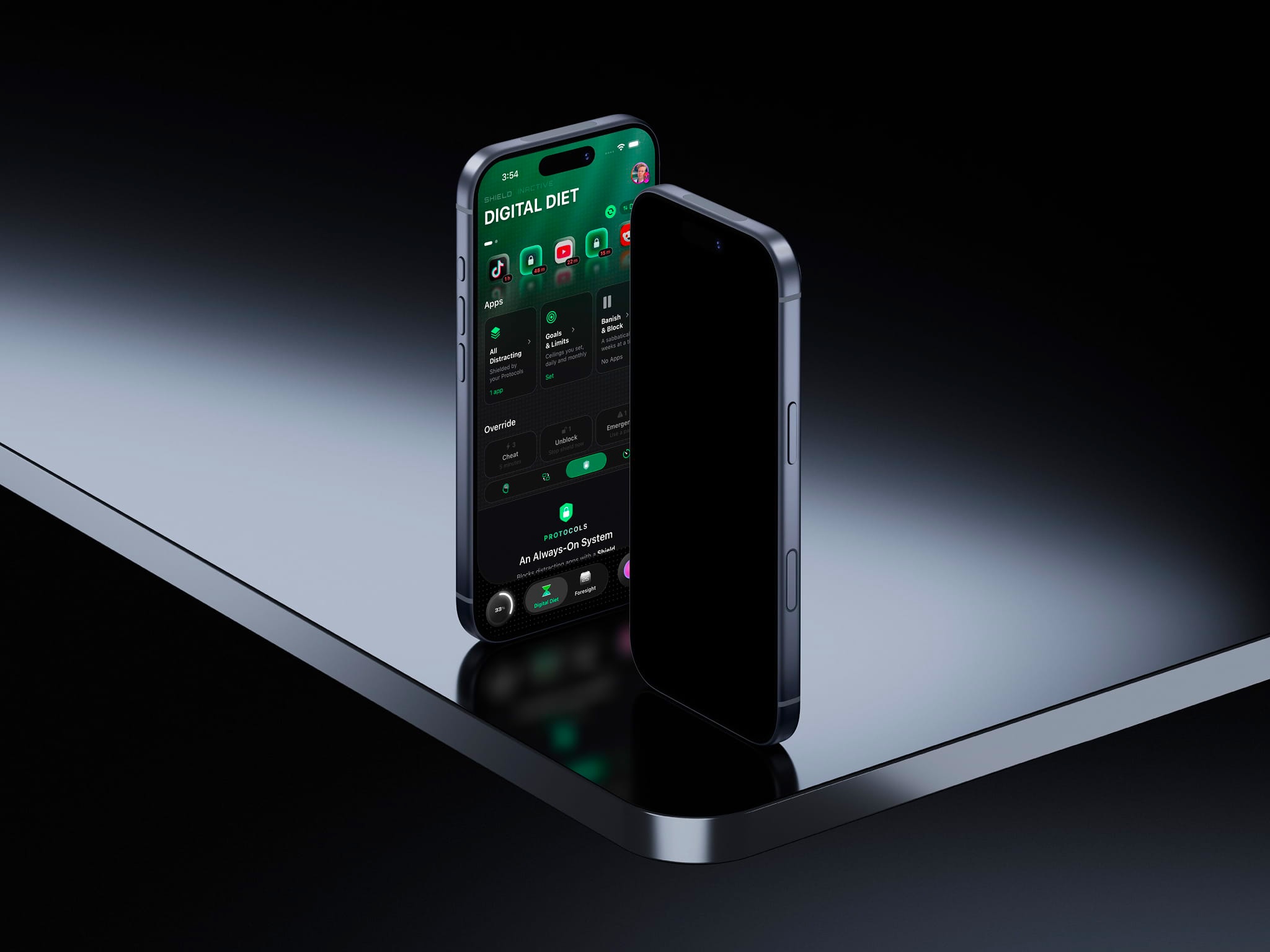
Stop relying on self-control and start engineering your environment. Protocol caps your weekly hours and blocks whole time windows during your days.
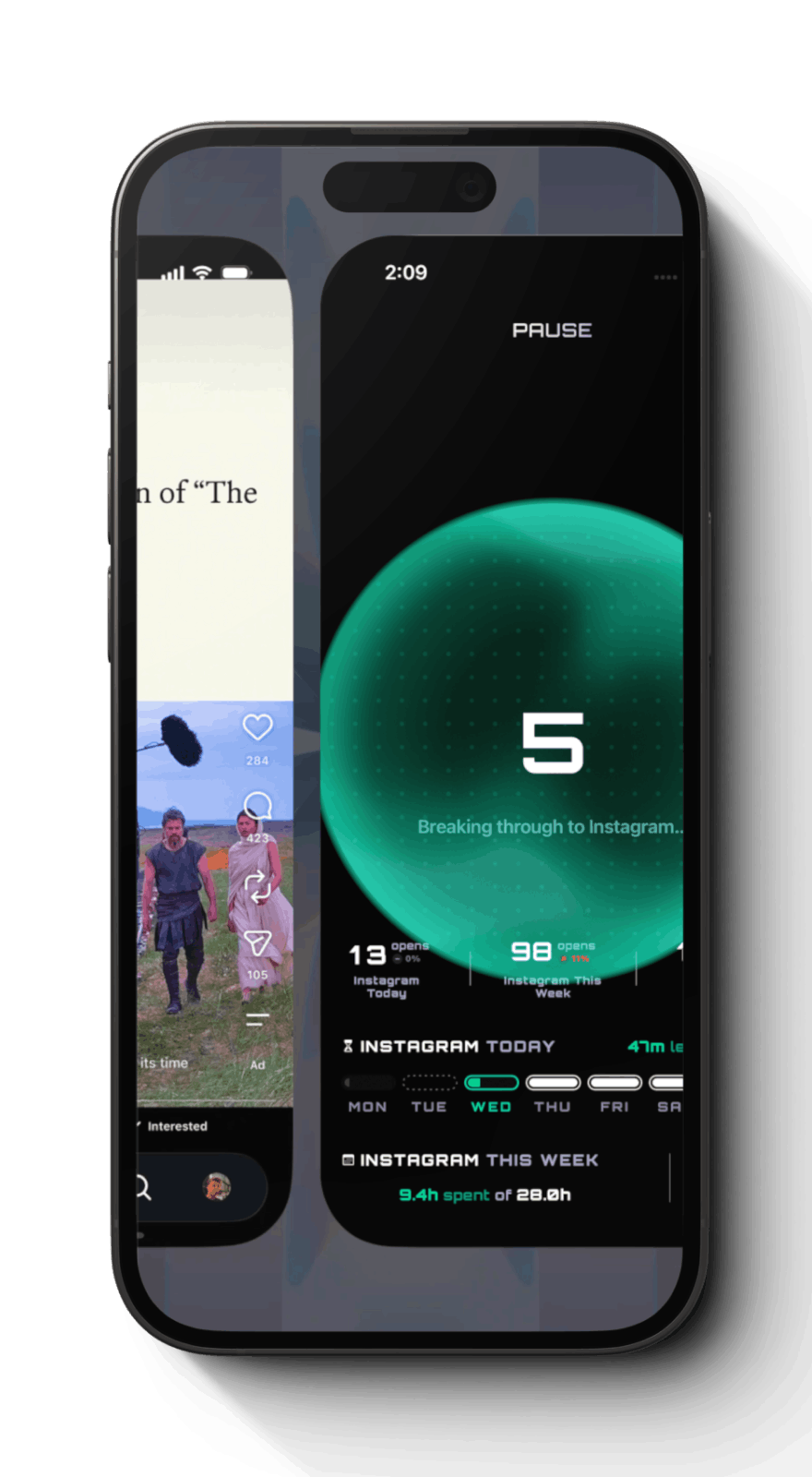
Reaching for Instagram can open Telos instead — a few seconds of friction gives room for reflection, proven to cut mindless scrolling by 35% on average.
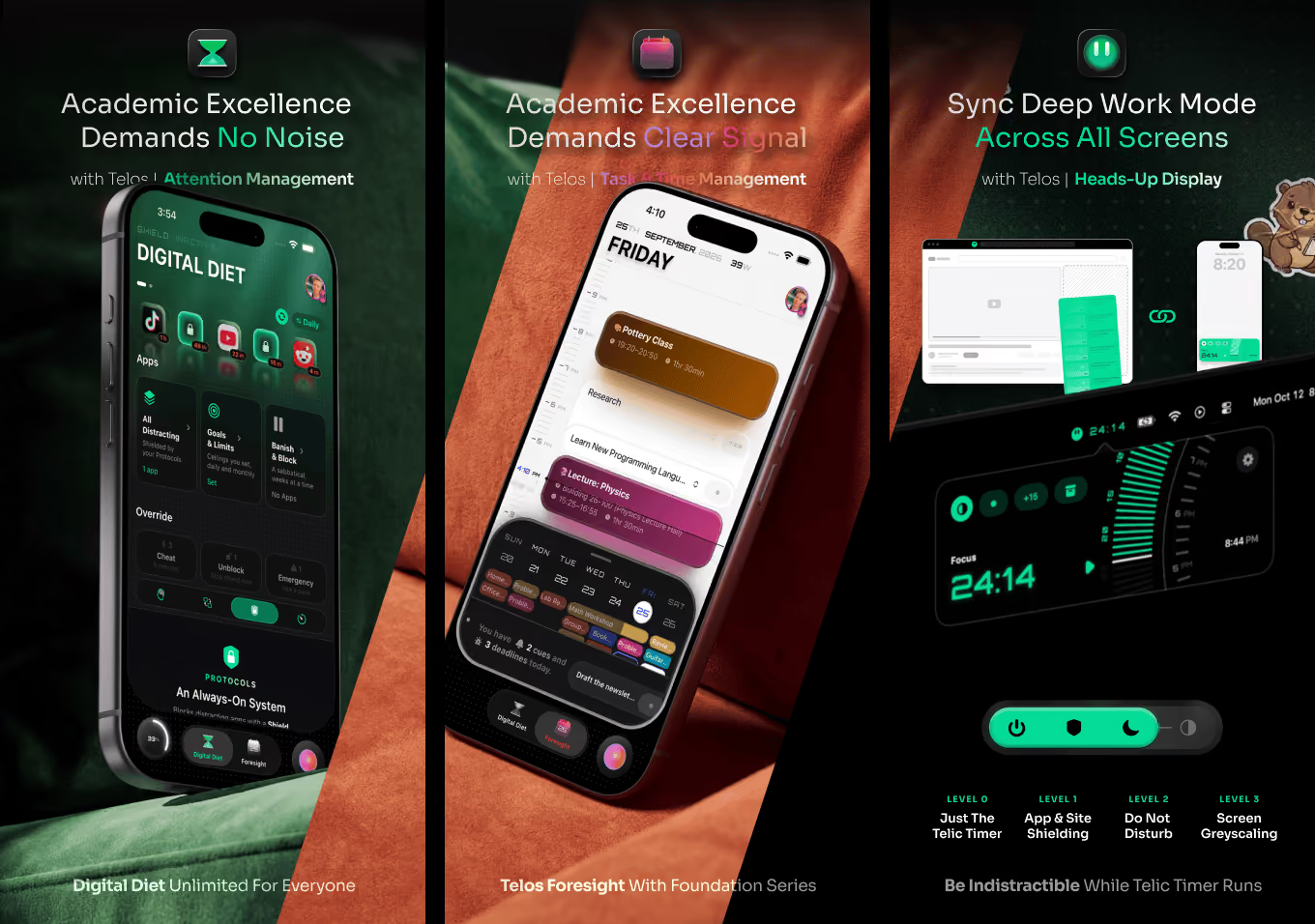
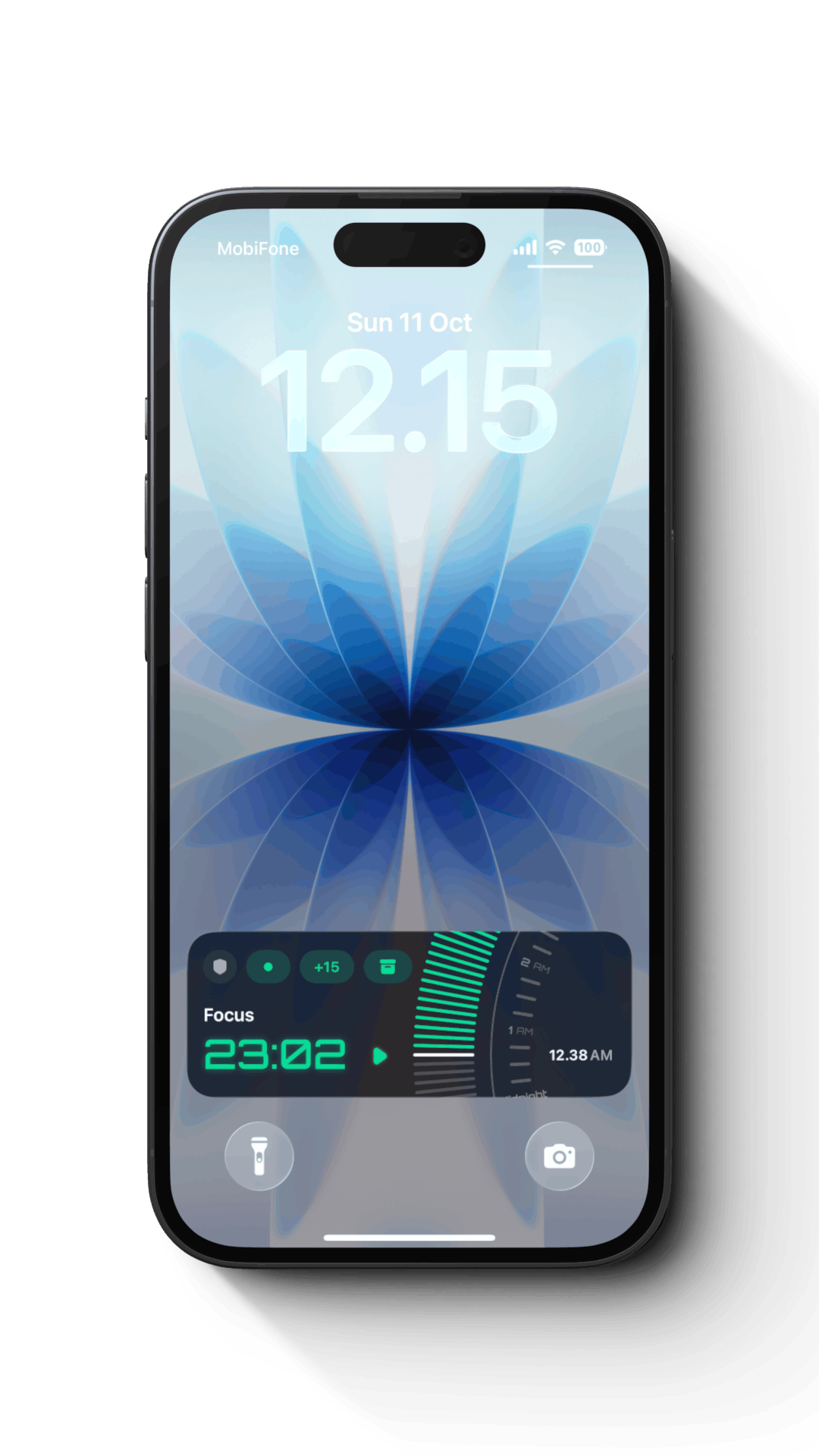
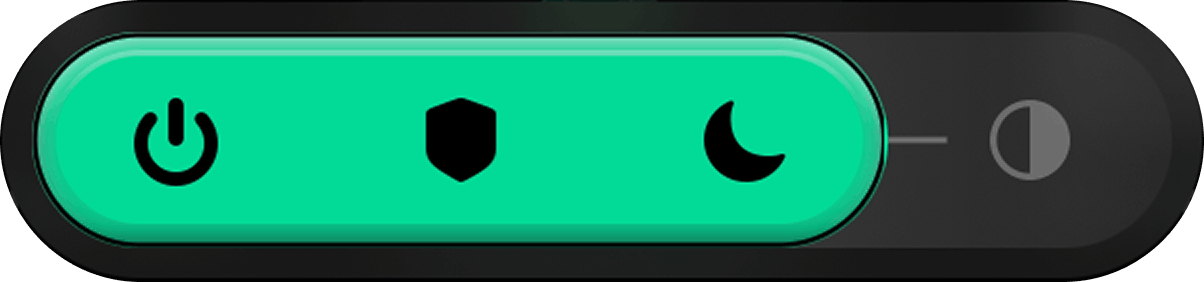
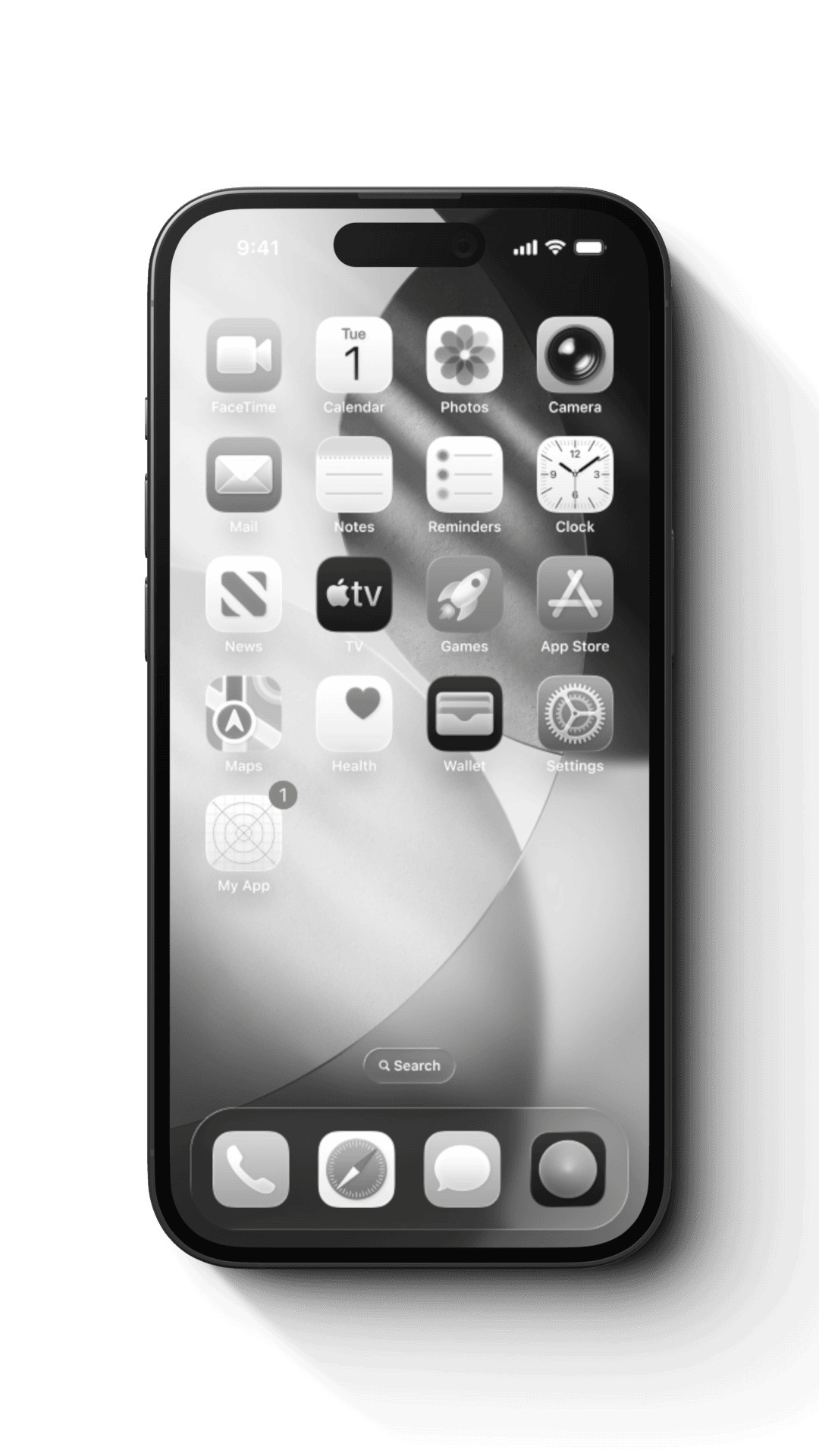
The on-demand half. Start a session and the phone goes silent, grey, and out of the way — Do Not Disturb, App Shielding, and greyscale together — until you're done.
Stop relying on self-control and start engineering your environment. Protocol caps your weekly hours and blocks whole time windows during your days.
Reaching for Instagram can open Telos instead — a few seconds of friction gives room for reflection, proven to cut mindless scrolling by 35% on average.
The on-demand half. Start a session and the phone goes silent, grey, and out of the way — Do Not Disturb, App Shielding, and greyscale together — until you're done.
time block
A Task System With
A Sense Of Time.
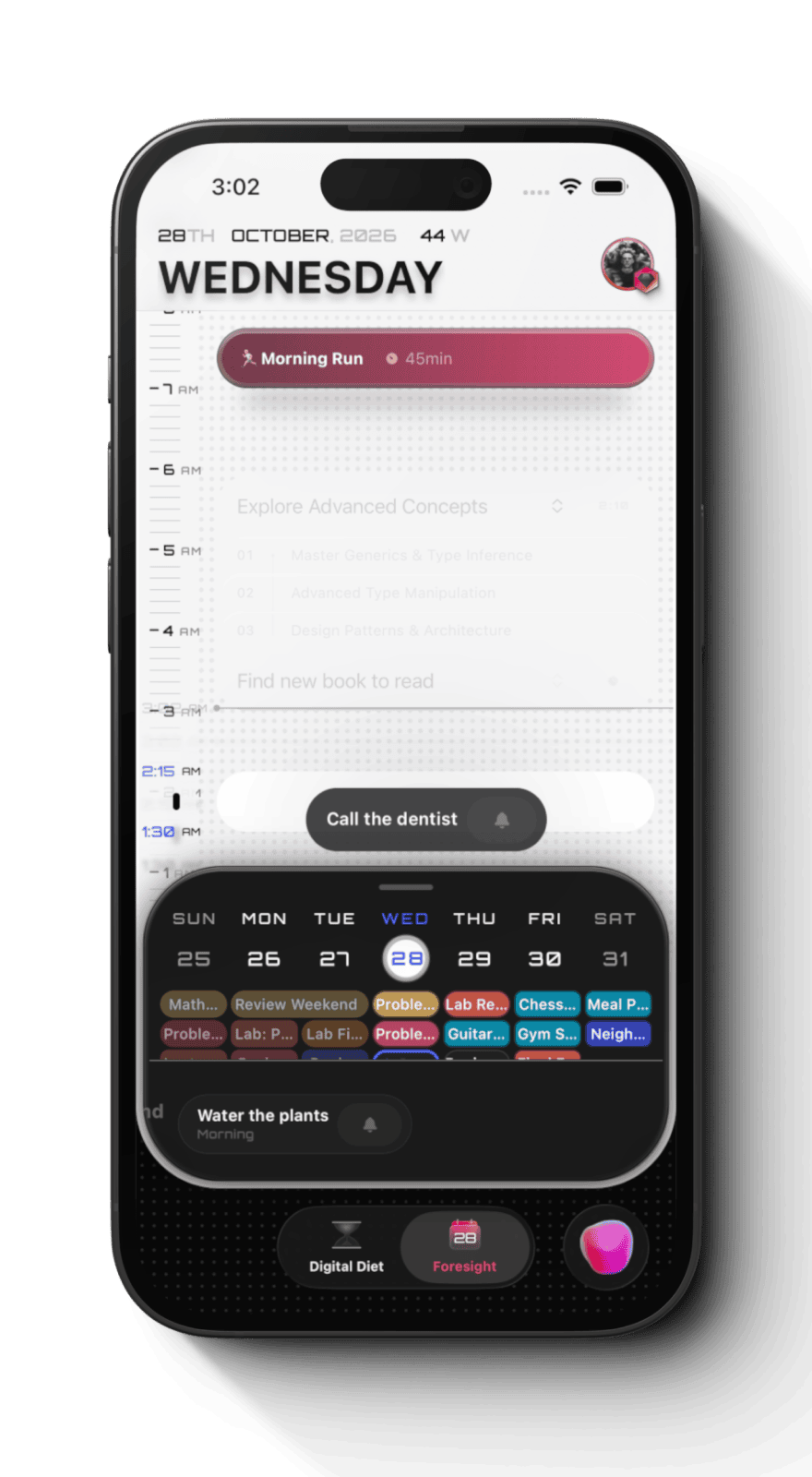
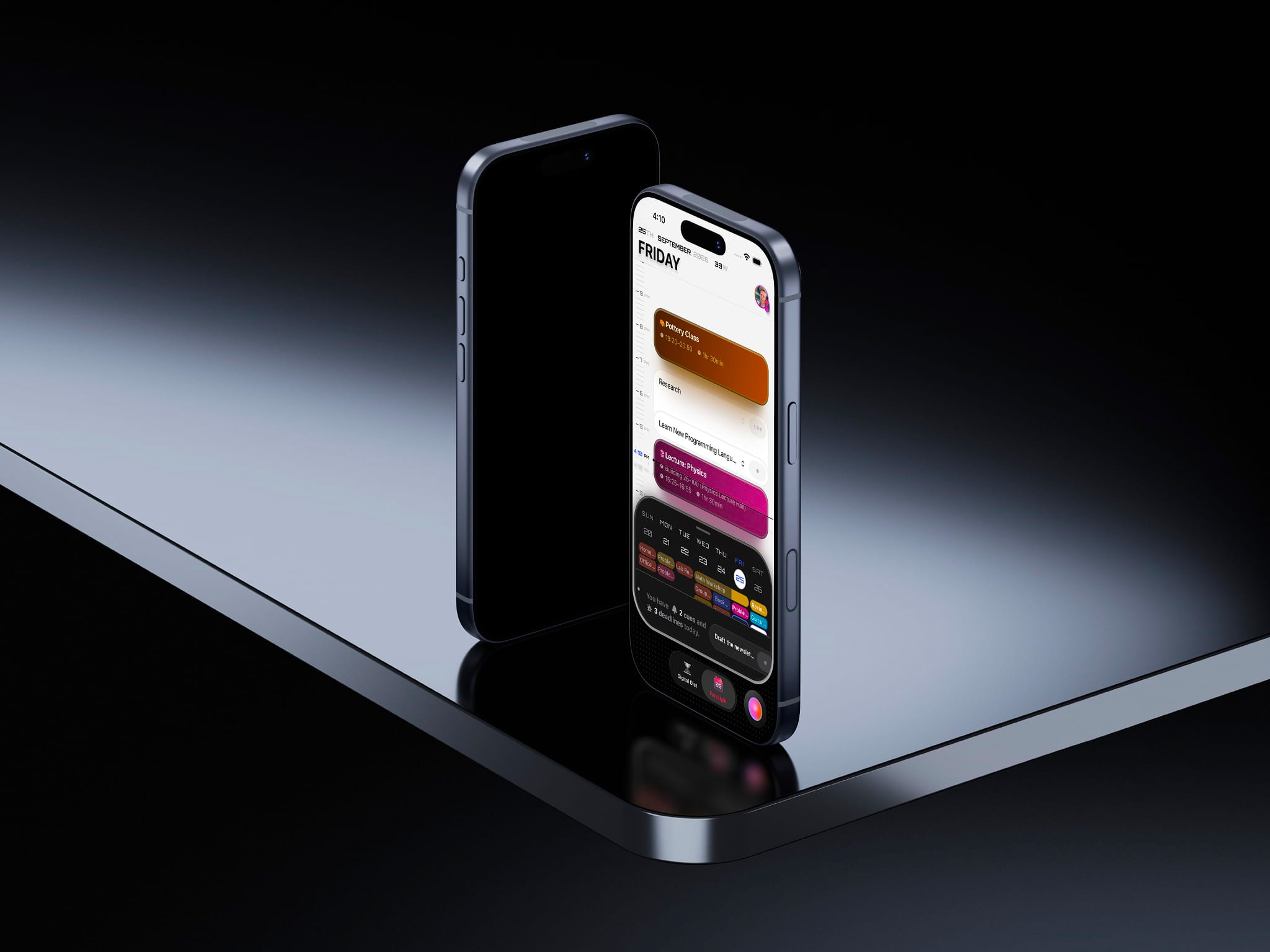
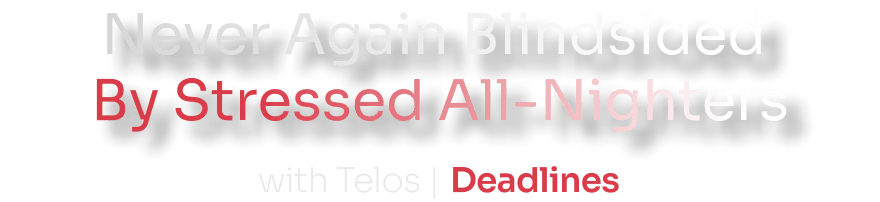
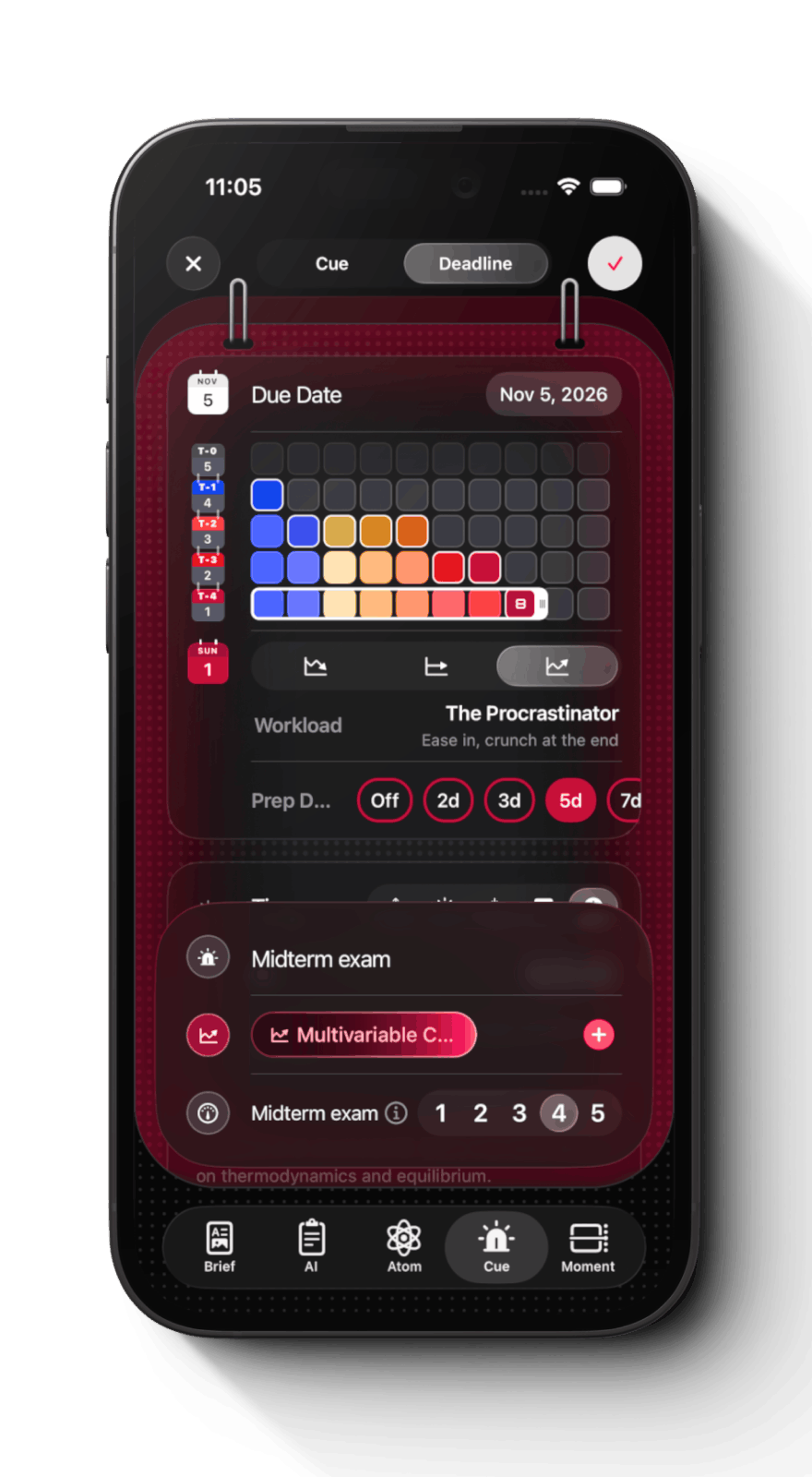
Deadlines are the immovable heartbeats of academic life. Telos starts there. Drop one in, and it breaks into preps — nine for that final, say. Each day, today's prep is already chosen, waiting for you to drag and drop it onto your calendar.

What you end up with is a to-do list living inside your calendar, beside your classes, sized to the study time you actually need.
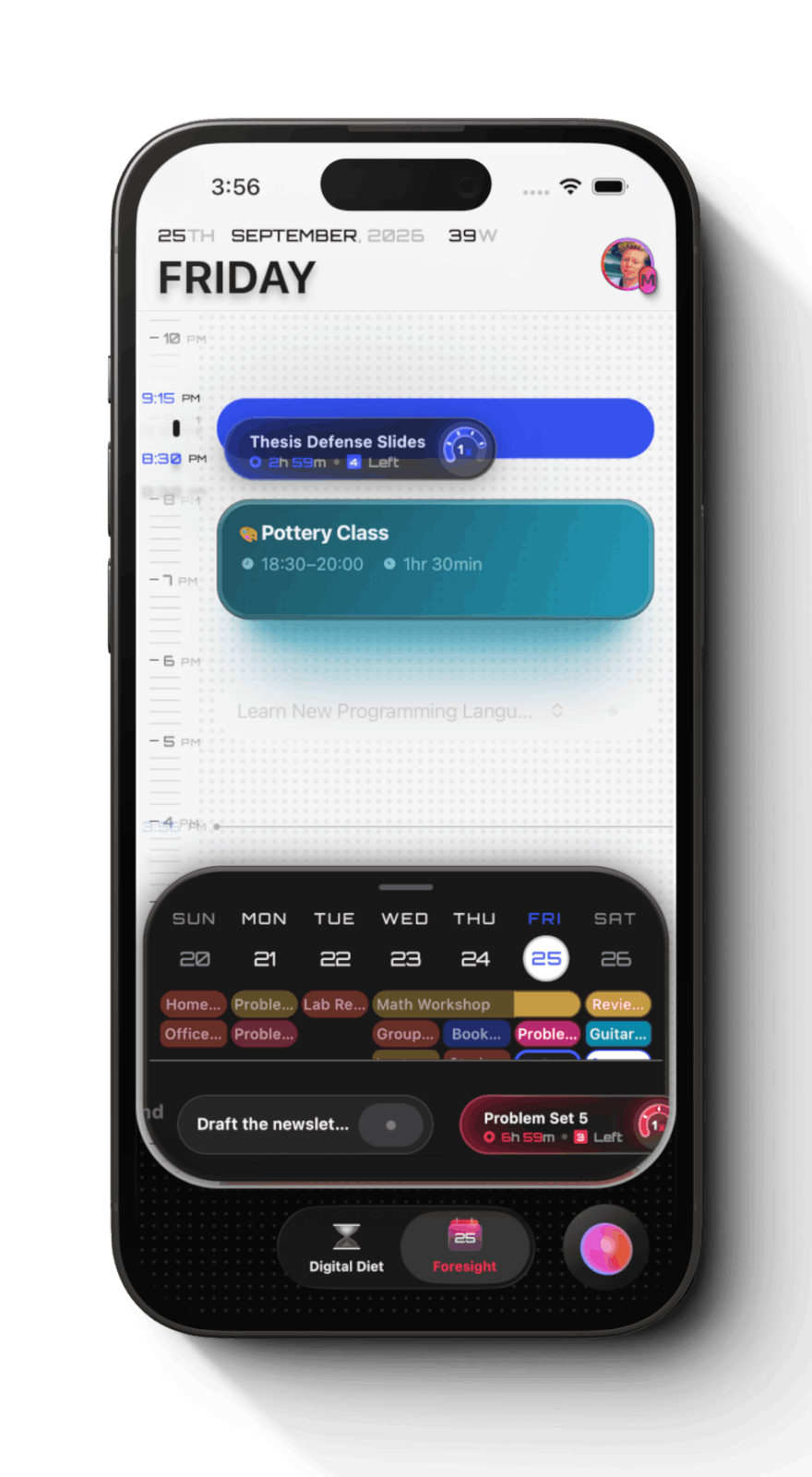
Whatever matters today, surfaced in one place — prep days, deadlines, reminders, whatever's been sitting in limbo. Drag what you're ready for straight into your day.
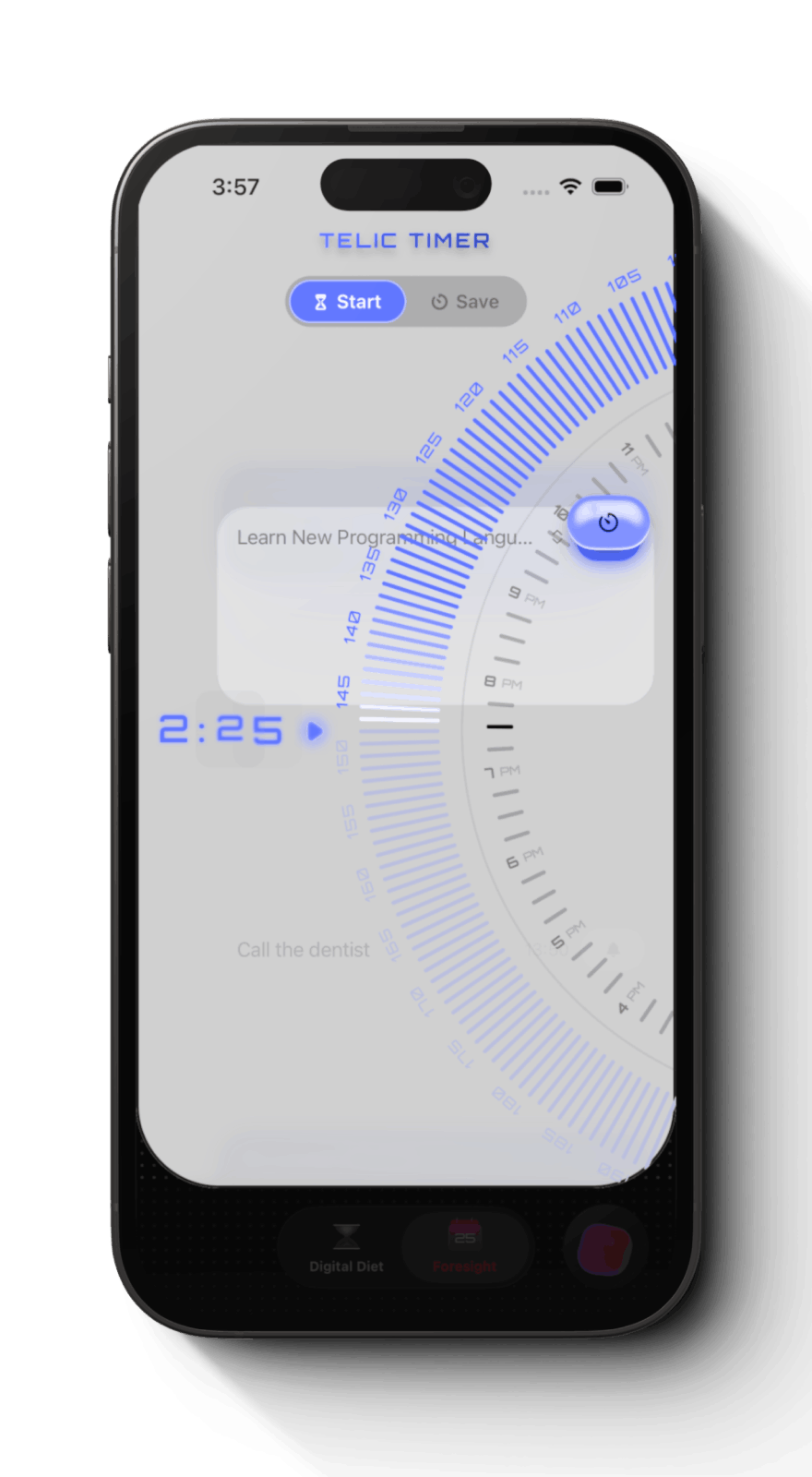
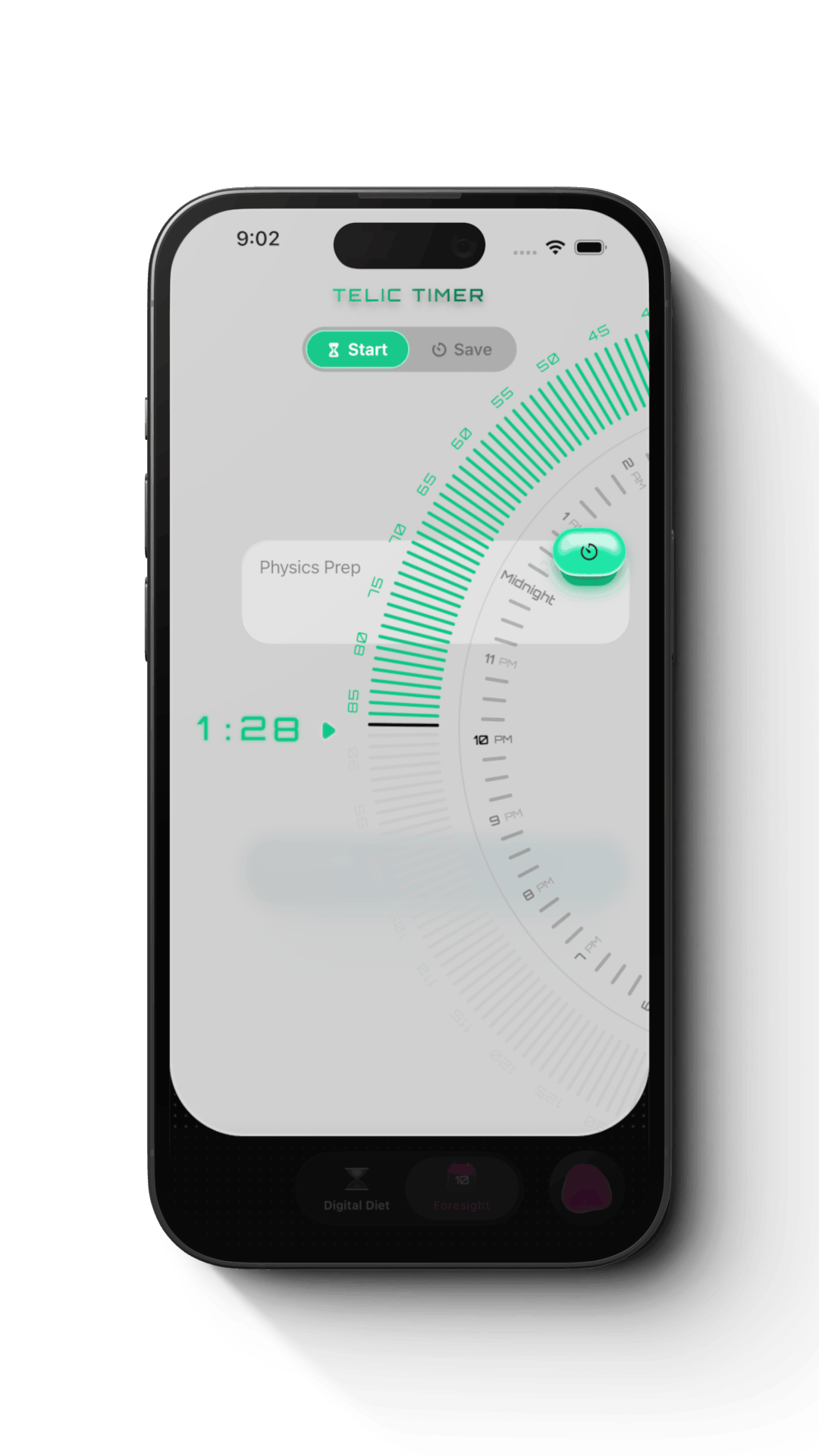
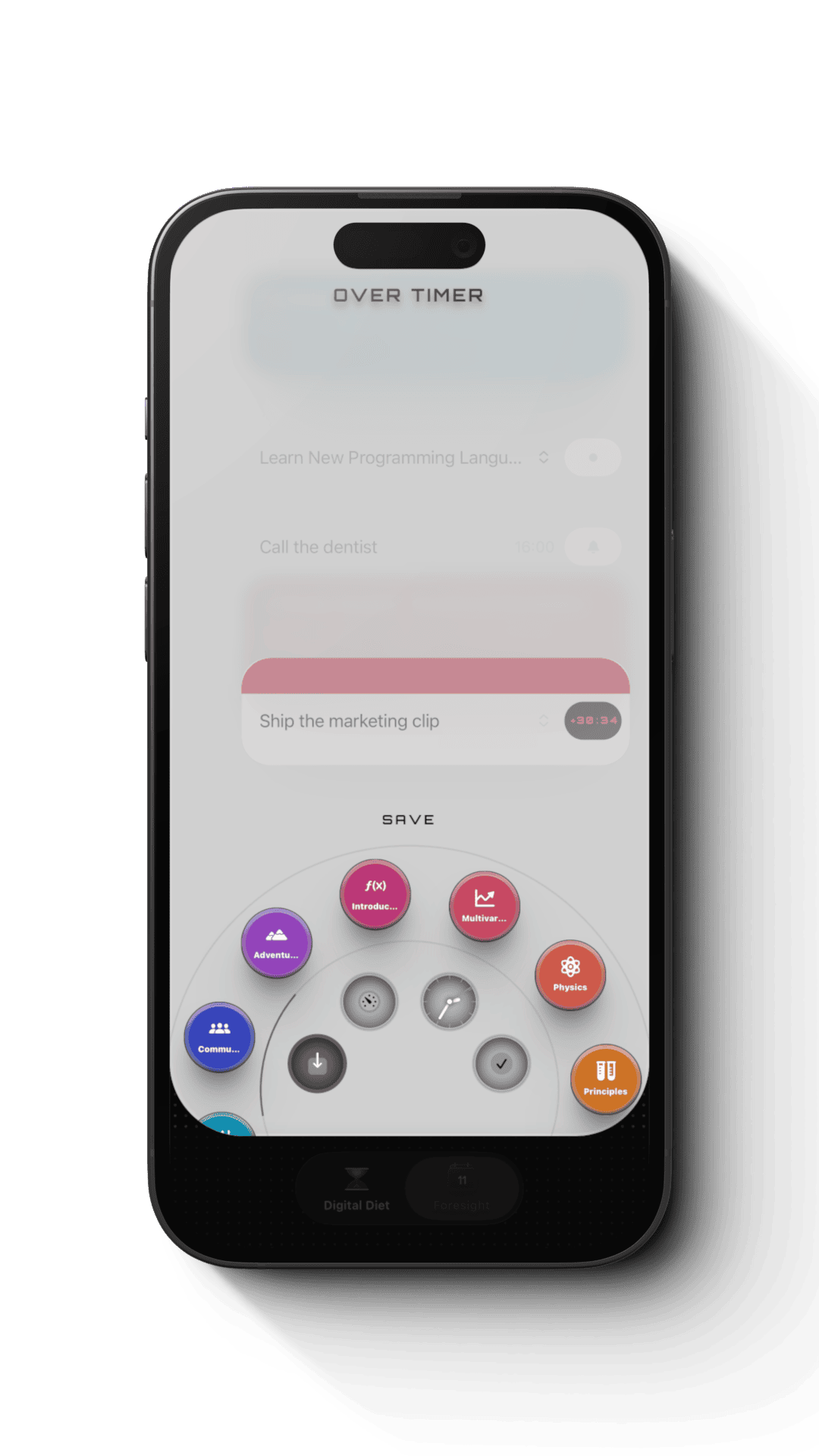
Set the duration on any atom and the timer runs Deep Work Mode around it. Need longer? Extend it. Not happening today? Backlog it in a tap.
Every prep you check off builds the streak. Small wins stacking up, day after day, until the big one arrives already handled.
Whatever matters today, surfaced in one place — prep days, deadlines, reminders, whatever's been sitting in limbo. Drag what you're ready for straight into your day.
Set the duration on any atom and the timer runs Deep Work Mode around it. Need longer? Extend it. Not happening today? Backlog it in a tap.
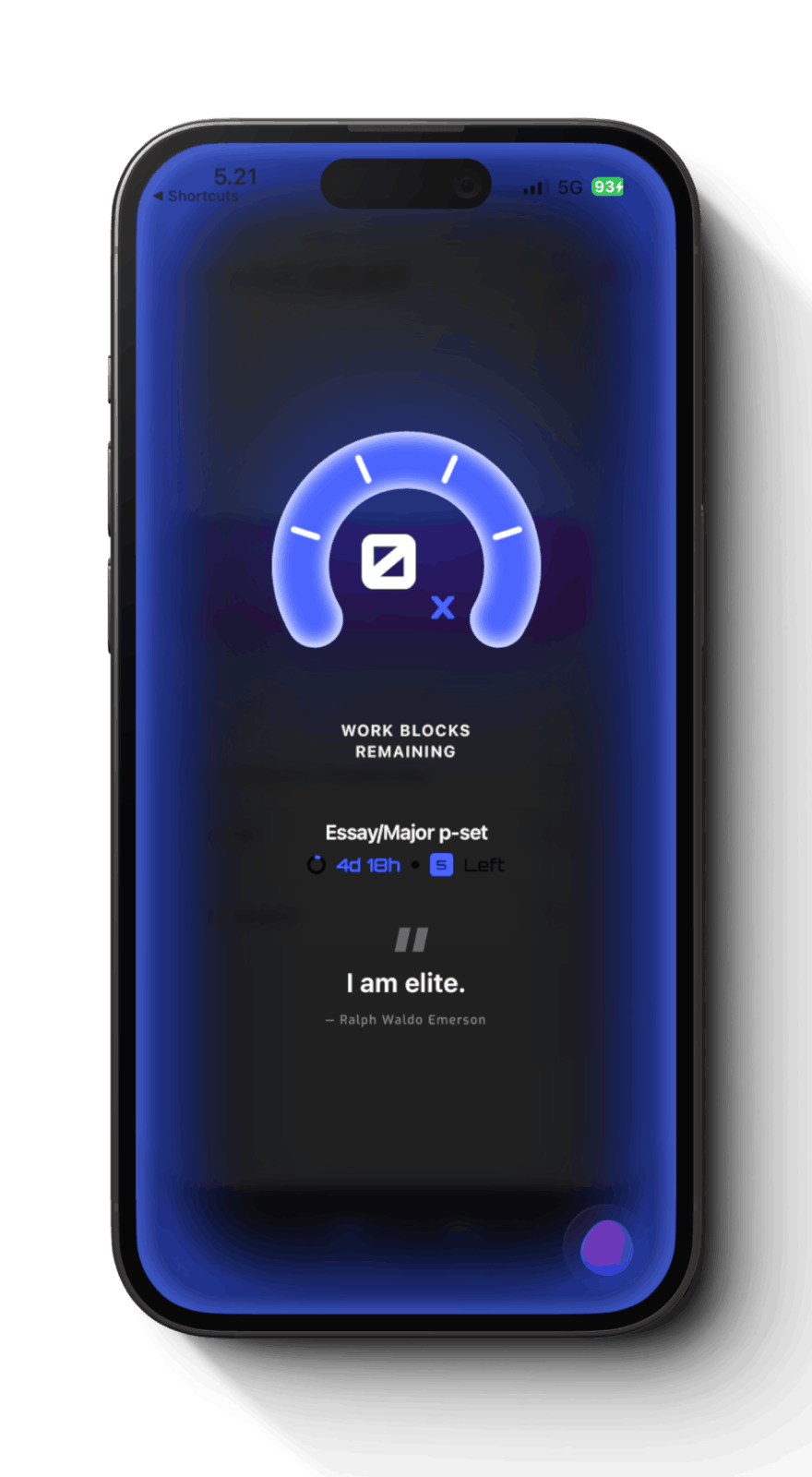
Every prep you check off builds the streak. Small wins stacking up, day after day, until the big one arrives already handled.
File Cabinet
Events, To-Dos, Reminders.
One Holistic System.
Generic productivity tools were built for answering emails and office work, not academic life. Sheets are a workaround that breaks every time work shifts. Notion is a do-it-yourself solution you'll over-engineer in week one and abandon by week four.

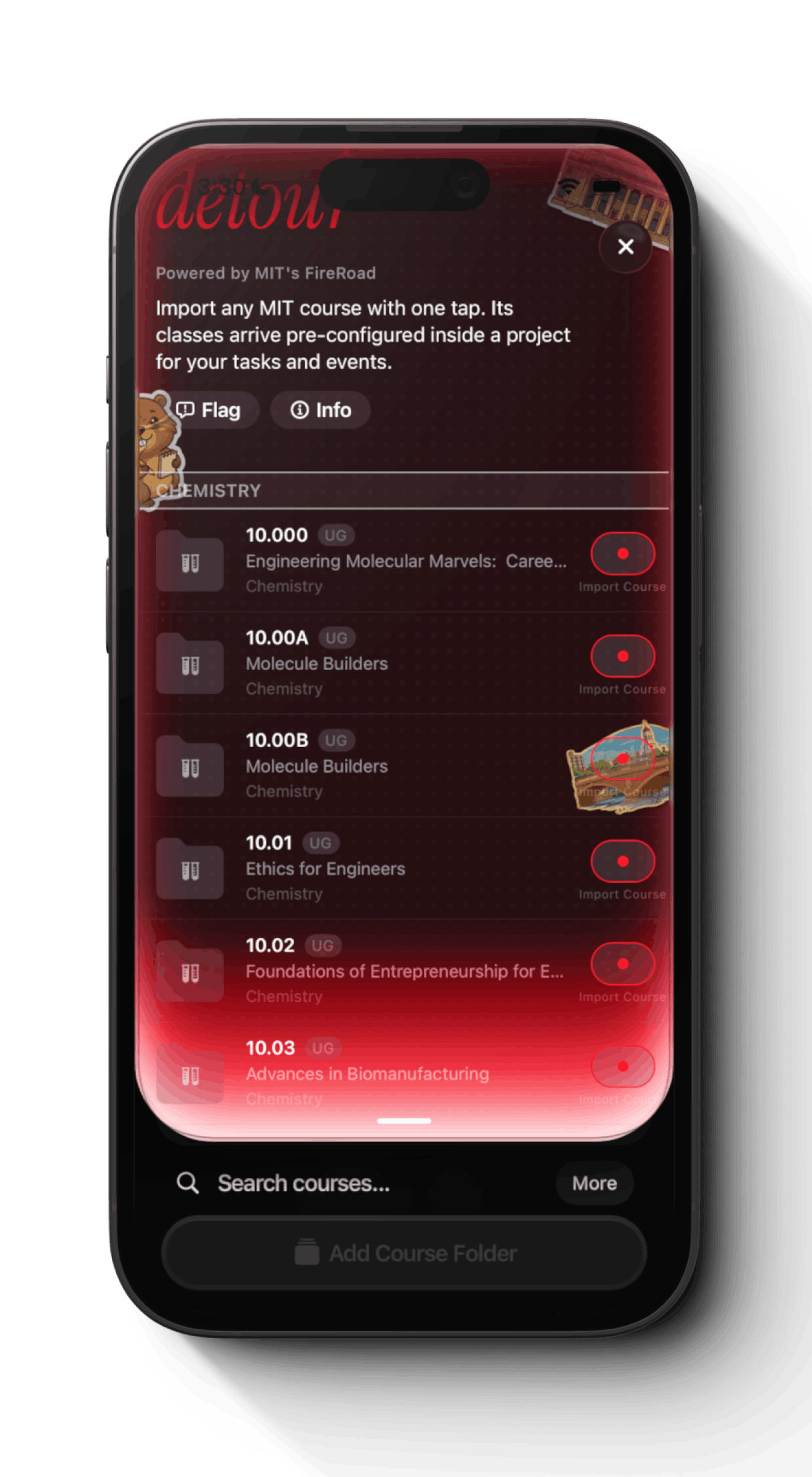
We start by importing your course folders and classes, then sync with your existing calendar, and add your deadlines, so your whole semester lives in one place.

Telos comes to you proactively, making it incredibly easy to shuffle things and adjust so you can focus your attention where it truly matters.
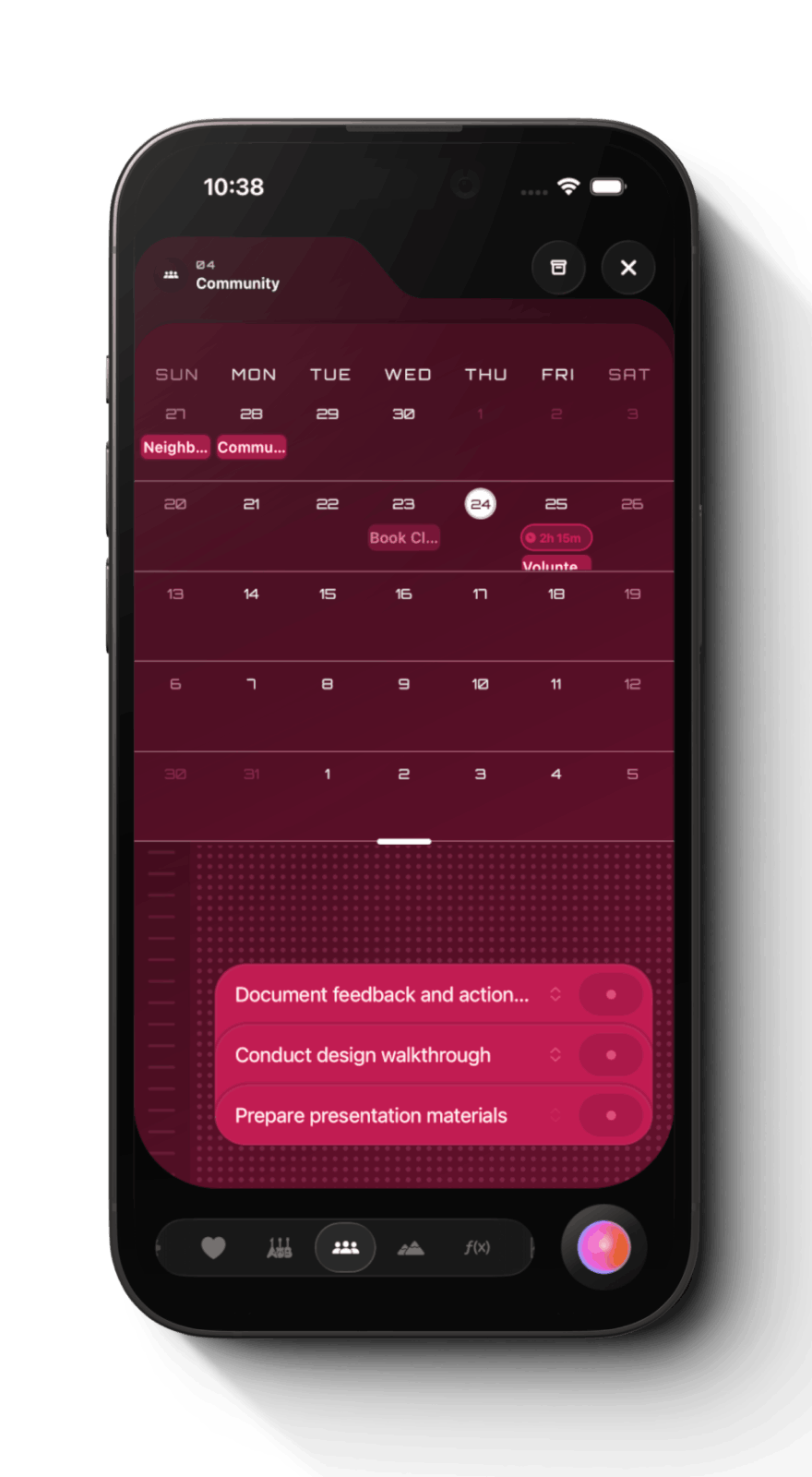
Your whole week at a glance, every project in view. Classes, work, health, whatever else you're carrying — all in one place instead of scattered across five apps.
A home for everything a project needs. Events, reminders, and tasks broken down as far as the work demands, all living together.
Drop in a due date and Telos works backwards. Prep days spread the load across the run-up, and the pressure system shapes how it fall
Your whole week at a glance, every project in view. Classes, work, health, whatever else you're carrying — all in one place instead of scattered across five apps.
A home for everything a project needs. Events, reminders, and tasks broken down as far as the work demands, all living together.
Drop in a due date and Telos works backwards. Prep days spread the load across the run-up, and the pressure system shapes how it fall
AUra Intelligence
Stop Typing It Out.
Screenshot It And you're done.
Everything you have to do this week already exists — in a syllabus, a Google Doc, an email, a thread. Aura reads it for you so nothing gets buried, generating deadlines, tasks, and events with a one-tap add.

Have something more sizable? Aura builds you a Brief—AI-generated book summaries, study guides, course notes, checklists, bibliographies, how-tos, life hacks, and more — a checkable list that resurfaces when it matters most: this weekend, before finals, end of semester, you name it.
Screenshot a syllabus, snap a flyer, paste a thread. Aura reads it and hands back the deadlines, tasks, and events buried inside — no typing it out yourself.
Verified students digesting the same campus so nobody has to twice. Flyers, deadlines, course tips — read once by one person, useful to everyone after.
Anything can become a Brief: a checkable how-to with the dates, links, and steps pulled out and nothing else left in. Edit it, keep it, or share it with one person or the whole platform.
Screenshot a syllabus, snap a flyer, paste a thread. Aura reads it and hands back the deadlines, tasks, and events buried inside — no typing it out yourself.
Verified students digesting the same campus so nobody has to twice. Flyers, deadlines, course tips — read once by one person, useful to everyone after.
Anything can become a Brief: a checkable how-to with the dates, links, and steps pulled out and nothing else left in. Edit it, keep it, or share it with one person or the whole platform.
Coming Soon
eccosystem
A Holistic System
Meets you where you are
app
A powerful joystick
to move with intention
app
A powerful joystick
to move with intention
lock screen
Keep both your phone and yourself locked in
mac
Heads Up Display
always in sync
mac
Heads Up Display
always in sync
Coming Soon
AI Briefs
A community library of
digested, actionable AI briefs.
Book summaries, study guides, course notes, checklists, bibliographies, how-tos, life hacks—and so much more.
Mission | Why do we exist?
Our mission is to accelerate the realignment to a humane technology future, where everyday tools are again on our team—not someone else's.
Upend the once thriving attention economy, bankrupt the dominant harmful players, and change the world.
Membership tiers
for everyone
a Perfect Membership
LIMITED EDITION
Coming Soon
$29
,99
/ mo
Foundation Series
Membership
For the unaffiliated who still want access to what elite students at Ivy League universities use.
Digital
Diet
Foresight
App
Aura
AI
Guide
Platfrom
Get Premium
Telos Membership
Digital Diet App
Signature Feature
  • Digital Diet is an always-on cadence that keeps brain rot at bay, gating your most distracting apps on your own schedule.
  • Protocol sets it once and forgets it, gating your chosen apps on a recurring schedule.
  • Pause is a soft gate that holds you for a beat, turning a reflex into a choice.
  • Hardcore Mode closes every back door for when you're serious: Cheat and Unblock go dark, disabling it takes 24 hours to kick in, and the app can't be deleted or clock-tricked. One Emergency pass a week is your only way out.
  • Atlas visualizes your attention: how often you pick up, where the hours go, and what's really pulling at you.
  • Deep Work Mode delivers on-demand peak focus. Activate DND, App Shielding, and screen grayscaling with one tap for a set time.
Foresight App
  • Foresight is a task-first unified grid where your to-dos sit right alongside your events in one view.
  • Atoms bring atomic design to your work: break a Molecule into Atoms, Atoms into Particles, as granular as the task demands.
  • Top Of Mind intelligently surfaces deadlines, prep days, reminders, and atoms in one place, ready to drag into your day.
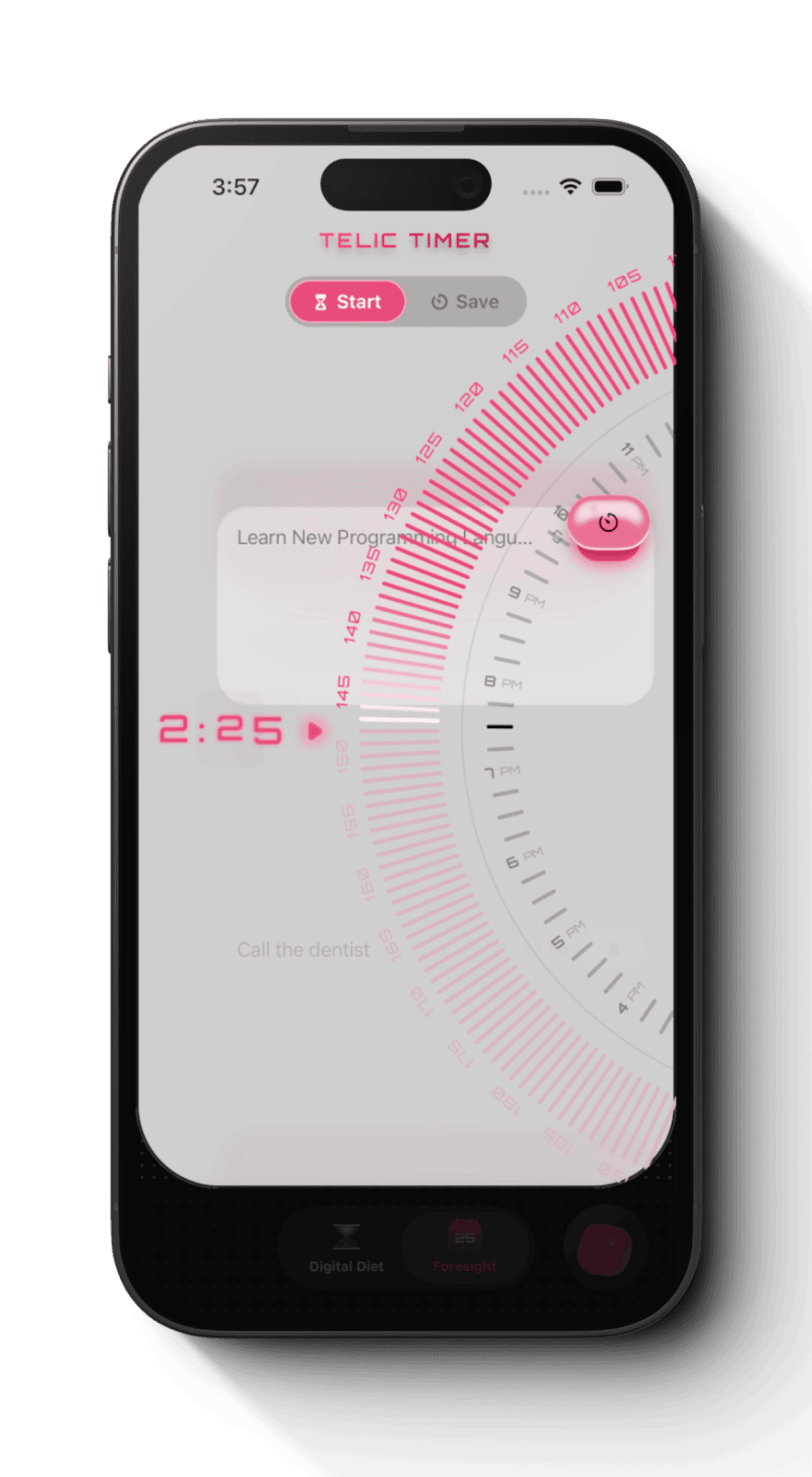
  • Telic Timer times a single task undivided, with Deep Work Mode locking in around it.
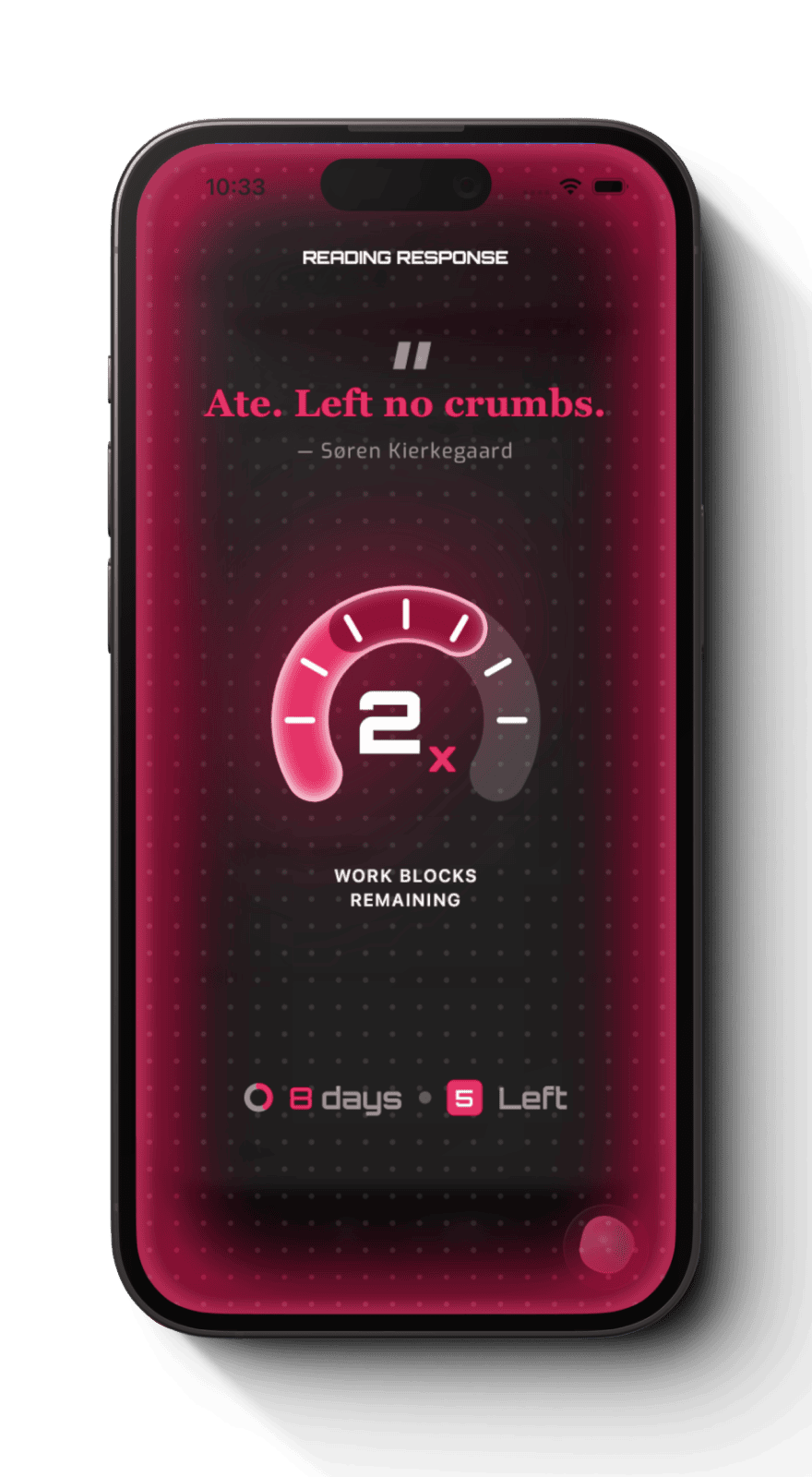
  • Overtimer ends every session with a menu to extend, backlog, or complete, so nothing falls through the cracks.
  • Streaks track the tasks and blocks you complete, turning steady progress into visible momentum.
  • Foresight is one unified grid where calendar events and to-do lists live side by side, from today out to the whole semester.
  • Two-Way Sync imports classes and calendars in a tap, with real two-way sync to iOS and Google Calendar so changes flow both directions.
  • File Cabinet keeps every course, project, and life area in one home (Setup, Health, Hobbies) instead of five scattered apps.
  • Projects are one container holding events, reminders, and the Molecules → Atoms → Particles task hierarchy.
  • Deadlines use Prep Days to schedule the run-up and Workload Curves (Procrastinator, Linear, Pre-Pressure) to shape the pressure, dragging each day's piece into the grid.
  • Customization lets you color-code, name, and pick icons for every folder, project, and deadline until it's legible at a glance.
Guide Platform
  • Digest turns any site link, PDF, or screenshot into a summarized, actionable list of steps with descriptions and links.
  • Guide Platform lets you search the full collection and pin what matters into your life.
  • Share with friends, classmates, or your whole audience from a single link.
  • Exclusive Campus Folder holds university-specific, crowdsourced briefs and deadlines for verified students.
Aura Intelligence
  • Copy & Paste surfaces the deadlines, tasks, and events buried in any screenshot, photo, or scrap of scattered text, in seconds.
  • Briefs distill something bigger into a summary, study guide, or checklist that resurfaces right when it matters, with unlimited briefs a week plus unlimited manual creation.
popular
VERIFIED STUDENTS
$0
,00
/ mo
Ivy League +
Membership
Digital
Diet
Foresight
App
Aura
AI
Guide
Platfrom
A unified system for managing your tasks, time, and attention to get ahead and win at college.
Digital Diet App
Signature Feature
  • Digital Diet is an always-on cadence that keeps brain rot at bay, gating your most distracting apps on your own schedule.
  • Protocol sets it once and forgets it, gating your chosen apps on a recurring schedule.
  • Pause is a soft gate that holds you for a beat, turning a reflex into a choice.
  • Hardcore Mode closes every back door for when you're serious: Cheat and Unblock go dark, disabling it takes 24 hours to kick in, and the app can't be deleted or clock-tricked. One Emergency pass a week is your only way out.
  • Atlas visualizes your attention: how often you pick up, where the hours go, and what's really pulling at you.
  • Deep Work Mode delivers on-demand peak focus. Activate DND, App Shielding, and screen grayscaling with one tap for a set time.
Foresight App
  • Foresight is a task-first unified grid where your to-dos sit right alongside your events in one view.
  • Atoms bring atomic design to your work: break a Molecule into Atoms, Atoms into Particles, as granular as the task demands.
  • Top Of Mind intelligently surfaces deadlines, prep days, reminders, and atoms in one place, ready to drag into your day.
  • Telic Timer times a single task undivided, with Deep Work Mode locking in around it.
  • Overtimer ends every session with a menu to extend, backlog, or complete, so nothing falls through the cracks.
  • Streaks track the tasks and blocks you complete, turning steady progress into visible momentum.
  • Foresight is one unified grid where calendar events and to-do lists live side by side, from today out to the whole semester.
  • Two-Way Sync imports classes and calendars in a tap, with real two-way sync to iOS and Google Calendar so changes flow both directions.
  • File Cabinet keeps every course, project, and life area in one home (Setup, Health, Hobbies) instead of five scattered apps.
  • Projects are one container holding events, reminders, and the Molecules → Atoms → Particles task hierarchy.
  • Deadlines use Prep Days to schedule the run-up and Workload Curves (Procrastinator, Linear, Pre-Pressure) to shape the pressure, dragging each day's piece into the grid.
  • Customization lets you color-code, name, and pick icons for every folder, project, and deadline until it's legible at a glance.
Guide Platform
  • Digest turns any site link, PDF, or screenshot into a summarized, actionable list of steps with descriptions and links.
  • Guide Platform lets you search the full collection and pin what matters into your life.
  • Share with friends, classmates, or your whole audience from a single link.
  • Exclusive Campus Folder holds university-specific, crowdsourced briefs and deadlines for verified students.
Aura Intelligence
  • 6Copy & Paste surfaces the deadlines, tasks, and events buried in any screenshot, photo, or scrap of scattered text, in seconds.
  • 6Briefs distill something bigger into a summary, study guide, or checklist that resurfaces right when it matters, with 6 briefs a week plus unlimited manual creation.
OPEN ACCESS
Free
for
all
Freemium Telos
Membership
Digital
Diet
Foresight
App
Aura
AI
Guide
Platfrom
A growing library of AI-digested briefs like book summaries, how-tos, life hacks, and much more.
Digital Diet App
Signature Feature
  • Digital Diet is an always-on cadence that keeps brain rot at bay, gating your most distracting apps on your own schedule.
  • Protocol sets it once and forgets it, gating your chosen apps on a recurring schedule.
  • Pause is a soft gate that holds you for a beat, turning a reflex into a choice.
  • Hardcore Mode closes every back door for when you're serious: Cheat and Unblock go dark, disabling it takes 24 hours to kick in, and the app can't be deleted or clock-tricked. One Emergency pass a week is your only way out.
  • Atlas visualizes your attention: how often you pick up, where the hours go, and what's really pulling at you.
  • Deep Work Mode delivers on-demand peak focus. Activate DND, App Shielding, and screen grayscaling with one tap for a set time.
Guide Platform
  • Digest turns any site link, PDF, or screenshot into a summarized, actionable list of steps with descriptions and links.
  • Guide Platform lets you search the full collection and pin what matters into your life.
  • Share with friends, classmates, or your whole audience from a single link.
  • Exclusive Campus Folder holds university-specific, crowdsourced briefs and deadlines for verified students.
Aura Intelligence
  • 3Briefs distill something bigger into a summary, study guide, or checklist that resurfaces right when it matters, with 3 briefs a week plus unlimited manual creation.
  • 0Copy & Paste surfaces the deadlines, tasks, and events buried in any screenshot, photo, or scrap of scattered text, in seconds.
LIMITED EDITION
Coming Soon
$29
,99
/ mo
Foundation Series
Membership
For the unaffiliated who still want access to what elite students at Ivy League universities use.
Digital
Diet
Foresight
App
Aura
AI
Guide
Platfrom
Get Premium
Telos Membership
Digital Diet App
Signature Feature
  • Digital Diet is an always-on cadence that keeps brain rot at bay, gating your most distracting apps on your own schedule.
  • Protocol sets it once and forgets it, gating your chosen apps on a recurring schedule.
  • Pause is a soft gate that holds you for a beat, turning a reflex into a choice.
  • Hardcore Mode closes every back door for when you're serious: Cheat and Unblock go dark, disabling it takes 24 hours to kick in, and the app can't be deleted or clock-tricked. One Emergency pass a week is your only way out.
  • Atlas visualizes your attention: how often you pick up, where the hours go, and what's really pulling at you.
  • Deep Work Mode delivers on-demand peak focus. Activate DND, App Shielding, and screen grayscaling with one tap for a set time.
Foresight App
  • Foresight is a task-first unified grid where your to-dos sit right alongside your events in one view.
  • Atoms bring atomic design to your work: break a Molecule into Atoms, Atoms into Particles, as granular as the task demands.
  • Top Of Mind intelligently surfaces deadlines, prep days, reminders, and atoms in one place, ready to drag into your day.
  • Telic Timer times a single task undivided, with Deep Work Mode locking in around it.
  • Overtimer ends every session with a menu to extend, backlog, or complete, so nothing falls through the cracks.
  • Streaks track the tasks and blocks you complete, turning steady progress into visible momentum.
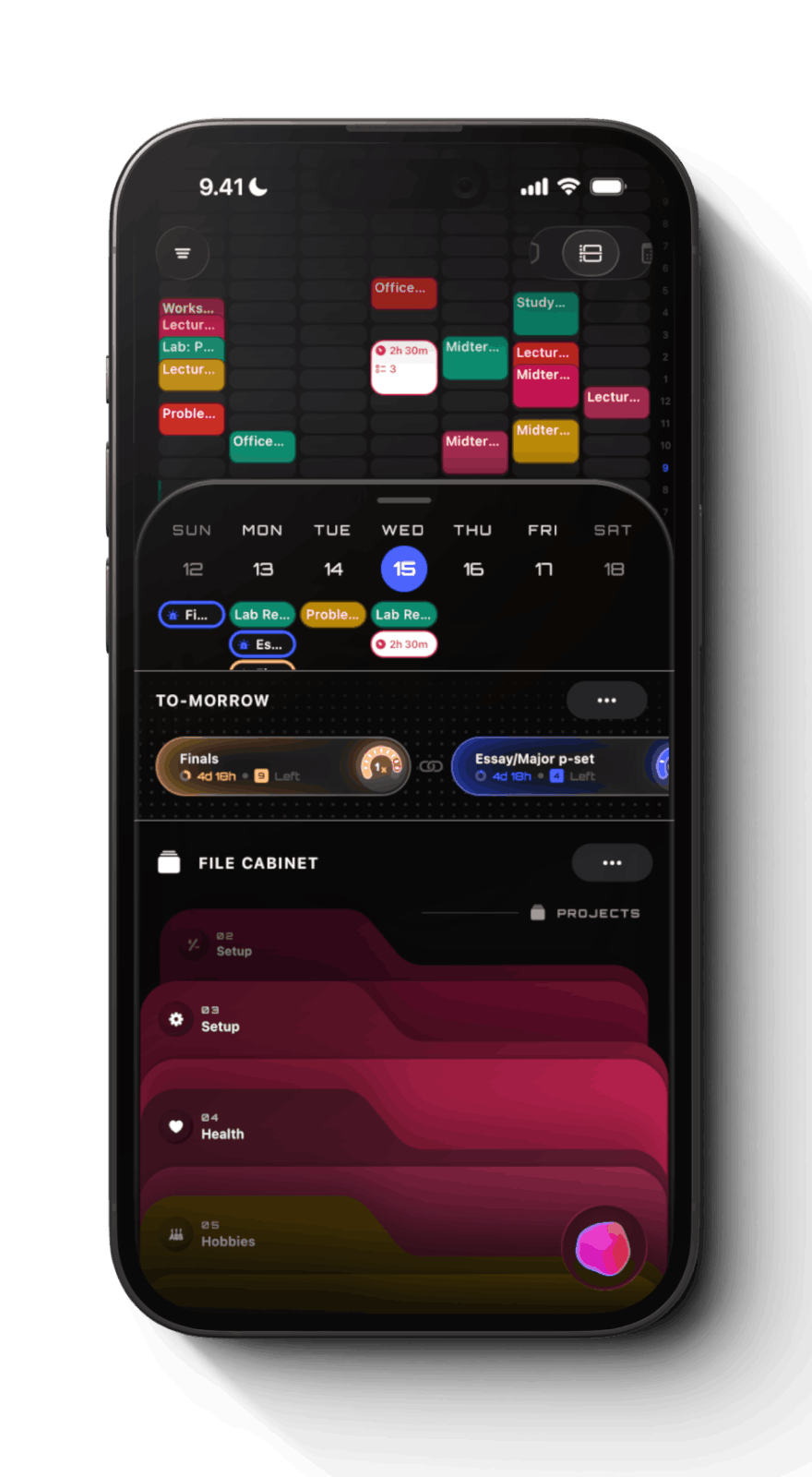
  • Foresight is one unified grid where calendar events and to-do lists live side by side, from today out to the whole semester.
  • Two-Way Sync imports classes and calendars in a tap, with real two-way sync to iOS and Google Calendar so changes flow both directions.
  • File Cabinet keeps every course, project, and life area in one home (Setup, Health, Hobbies) instead of five scattered apps.
  • Projects are one container holding events, reminders, and the Molecules → Atoms → Particles task hierarchy.
  • Deadlines use Prep Days to schedule the run-up and Workload Curves (Procrastinator, Linear, Pre-Pressure) to shape the pressure, dragging each day's piece into the grid.
  • Customization lets you color-code, name, and pick icons for every folder, project, and deadline until it's legible at a glance.
Guide Platform
  • Digest turns any site link, PDF, or screenshot into a summarized, actionable list of steps with descriptions and links.
  • Guide Platform lets you search the full collection and pin what matters into your life.
  • Share with friends, classmates, or your whole audience from a single link.
  • Exclusive Campus Folder holds university-specific, crowdsourced briefs and deadlines for verified students.
Aura Intelligence
  • Copy & Paste surfaces the deadlines, tasks, and events buried in any screenshot, photo, or scrap of scattered text, in seconds.
  • Briefs distill something bigger into a summary, study guide, or checklist that resurfaces right when it matters, with unlimited briefs a week plus unlimited manual creation.
popular
VERIFIED STUDENTS
$0
,00
/ mo
Ivy League +
Membership
Digital
Diet
Foresight
App
Aura
AI
Guide
Platfrom
Digital Diet App
Signature Feature
  • Digital Diet is an always-on cadence that keeps brain rot at bay, gating your most distracting apps on your own schedule.
  • Protocol sets it once and forgets it, gating your chosen apps on a recurring schedule.
  • Pause is a soft gate that holds you for a beat, turning a reflex into a choice.
  • Hardcore Mode closes every back door for when you're serious: Cheat and Unblock go dark, disabling it takes 24 hours to kick in, and the app can't be deleted or clock-tricked. One Emergency pass a week is your only way out.
  • Atlas visualizes your attention: how often you pick up, where the hours go, and what's really pulling at you.
  • Deep Work Mode delivers on-demand peak focus. Activate DND, App Shielding, and screen grayscaling with one tap for a set time.
Foresight App
  • Foresight is a task-first unified grid where your to-dos sit right alongside your events in one view.
  • Atoms bring atomic design to your work: break a Molecule into Atoms, Atoms into Particles, as granular as the task demands.
  • Top Of Mind intelligently surfaces deadlines, prep days, reminders, and atoms in one place, ready to drag into your day.
  • Telic Timer times a single task undivided, with Deep Work Mode locking in around it.
  • Overtimer ends every session with a menu to extend, backlog, or complete, so nothing falls through the cracks.
  • Streaks track the tasks and blocks you complete, turning steady progress into visible momentum.
  • Foresight is one unified grid where calendar events and to-do lists live side by side, from today out to the whole semester.
  • Two-Way Sync imports classes and calendars in a tap, with real two-way sync to iOS and Google Calendar so changes flow both directions.
  • File Cabinet keeps every course, project, and life area in one home (Setup, Health, Hobbies) instead of five scattered apps.
  • Projects are one container holding events, reminders, and the Molecules → Atoms → Particles task hierarchy.
  • Deadlines use Prep Days to schedule the run-up and Workload Curves (Procrastinator, Linear, Pre-Pressure) to shape the pressure, dragging each day's piece into the grid.
  • Customization lets you color-code, name, and pick icons for every folder, project, and deadline until it's legible at a glance.
Guide Platform
  • Digest turns any site link, PDF, or screenshot into a summarized, actionable list of steps with descriptions and links.
  • Guide Platform lets you search the full collection and pin what matters into your life.
  • Share with friends, classmates, or your whole audience from a single link.
  • Exclusive Campus Folder holds university-specific, crowdsourced briefs and deadlines for verified students.
Aura Intelligence
  • 6Copy & Paste surfaces the deadlines, tasks, and events buried in any screenshot, photo, or scrap of scattered text, in seconds.
  • 6Briefs distill something bigger into a summary, study guide, or checklist that resurfaces right when it matters, with 6 briefs a week plus unlimited manual creation.
OPEN ACCESS
Free
for
all
Brief Guide
Unlimited Acess
A growing library of AI-digested briefs like book summaries, how-tos, life hacks, and much more.
Digital
Diet
Foresight
App
Aura
AI
Guide
Platfrom
Digital Diet App
Signature Feature
  • Digital Diet is an always-on cadence that keeps brain rot at bay, gating your most distracting apps on your own schedule.
  • Protocol sets it once and forgets it, gating your chosen apps on a recurring schedule.
  • Pause is a soft gate that holds you for a beat, turning a reflex into a choice.
  • Hardcore Mode closes every back door for when you're serious: Cheat and Unblock go dark, disabling it takes 24 hours to kick in, and the app can't be deleted or clock-tricked. One Emergency pass a week is your only way out.
  • Atlas visualizes your attention: how often you pick up, where the hours go, and what's really pulling at you.
  • Deep Work Mode delivers on-demand peak focus. Activate DND, App Shielding, and screen grayscaling with one tap for a set time.
Guide Platform
  • Digest turns any site link, PDF, or screenshot into a summarized, actionable list of steps with descriptions and links.
  • Guide Platform lets you search the full collection and pin what matters into your life.
  • Share with friends, classmates, or your whole audience from a single link.
  • Exclusive Campus Folder holds university-specific, crowdsourced briefs and deadlines for verified students.
Aura Intelligence
  • 3Briefs distill something bigger into a summary, study guide, or checklist that resurfaces right when it matters, with 3 briefs a week plus unlimited manual creation.
  • 0Copy & Paste surfaces the deadlines, tasks, and events buried in any screenshot, photo, or scrap of scattered text, in seconds.
apply to unlock Telos today
FAQ
And in case you
missed anything
Where Does Screen Time End
And Digital Diet Begin?

Telos is built on Apple's Screen Time API and the Shortcuts app—the secure, permission-based way a third-party app can gate other apps on iOS. Those blocking features are best described as parental controls, and they arrived alongside the rise of the Time Well Spent movement and the Center for Humane Technology.

Telos is focused entirely on advancing self-regulation: features you set for yourself, pushing the envelope. Apple set the floor. We reach for the ceiling—an all-in-one system that isn't afraid to show you longer time horizons of your own usage.Signature Telos features:

Hardcore Mode. Apple offers a four-digit key you saved in Notes. We offer a lock you set as tight as you want: you choose a pending wait of 24, 48, or 72 hours per Protocol before any change takes effect, Telos can't be deleted while it's active, and the device clock can't be changed. There is no way out that doesn't cost you a day.
Three graded overrides. Break—five minutes through a live Shield. Unblock—ends the current block until the next one starts. Emergency Pass—one per week, and that's the whole allowance.
Deep Work Mode. Duration-based blocking that lifts on its own. • Pause. Eight seconds between the reflex and the feed.
Sabbatical. Put an app down for a fixed stretch, voluntarily.
Adaptive Greyscale. On with the block, off when it ends. Duration-based blocking that lifts on its own.
Pause. Eight seconds between the reflex and the feed.
Sabbatical. Put an app down for a fixed stretch, voluntarily.
Adaptive Greyscale. On with the block, off when it ends.

Hardcore Mode, Unlimited
Protocols, Atlas— Free?

Yes. Every part of Digital Diet is free, unmetered, with no card and no trial: unlimited Protocols, unlimited Pauses, unlimited Sabbaticals, advanced Insights, and premium Hardcore Mode.

Elsewhere in this category you get one schedule, a capped app list, and the strict modes behind a subscription—around $99 a year for it. What others meter, we include in the Telos Freemium Membership—so you can live a healthier, more focused life.

Digital Diet Or
Deep Work Mode?

You set Protocols around which apps get Shielded — either through Shallow Time, a weekly budget, or a Schedule, a set of timelines. No daily decisions, no willpower: ambiguity is eliminated through better environment design.

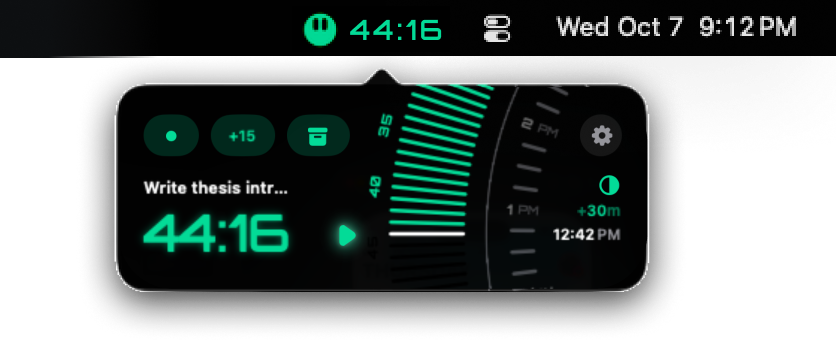
Deep Work Mode, in contrast, is duration-based and on-demand — built for studying and deep work in Cal Newport's sense. In Foresight, start a timer and Telos goes quiet to whatever degree you want. Do Not Disturb, App Shielding, and Greyscale lock in together, for exactly as long as you want to sprint. Done? Everything goes back to normal.

What Is
Adaptive Greyscale?

Greyscale is the most effective screen intervention nobody uses. Oversaturation, high contrast, quick-cut 60fps video—it reliably overstimulates a lizard brain that evolved for the savannah and the forest floor, where nothing moved that fast. Strip the colour and your screen suddenly becomes remarkably less attention-demanding.

The problem is that nobody wants to live in perpetual colourlessness, and turning it off permanently in Accessibility settings is too brute a tool for almost anyone.Telos offers Adaptive Greyscale. During Deep Work Mode, greyscale switches on for exactly the stretch you want to be undivided, then colour returns. For longer runs, a Sabbatical holds it for, say, one week—and we notify you when you cross the finish line, to disable it for you.

Why Is Ivy League
Plus Free?

Telos was conceived at the Massachusetts Institute of Technology and designed from the ground up to serve the epicentre of sustained deep focus: Ivy League Plus universities. Here, students put a premium on the ability to learn hard things quickly through intense focus without distraction, which is fertile ground for a closed feedback loop where we can advance Telos in the right environment.

But elite academia, like MIT, is of course not the only place where people shouldn't drink from the firehose. Most of modern information-saturated society suffers from an addictive relationship with the phone they wear like a glove.

Hence Telos opened up through the Freemium Membership: the full Digital Diet, unmetered, for everyone. These are the features we believe are essential to living with the volume and velocity of modern life.

What Personal Data
Does Telos See?

We don't like surveillance capitalism, or services that pretend to be free while selling your personal data to sell you useless stuff you don't need. We're committed to using data only to improve a service that's on your team—nobody else's.

So we don't collect what doesn't serve that purpose. We don't ask to track you across apps. We don't sync what we don't need. And we want nothing to do with the third-party ad platforms that make their money the other way.

We don't track Screen Time data. Selecting and shielding apps runs on opaque tokens, not app names, bundle IDs, or icons. The tokens never leave your phone.

We don't sync calendar data. Events are read on device and never leave it. Because we store none of it, there is no server-side calendar that could ever be compromised.

We only collect the personal data we need: account verification, identifying crashes, fixing bugs, and improving the experience. That's the list.

What Is
Telos Foresight?

Imagine a to-do list and a calendar had a baby. Foresight elegantly unifies time and task into one grid: see all your events at a glance and plan your Timeblocks around them with one tap. Drag up to set a Telic Timer when you need to lock in, other tasks ripple out of the way, and if you run out of time you can easily save anything for later.

With Top Of Mind you get an overview of everything urgent—deadline prep days, reminders for that day, limbo tasks you still need to complete. Foresight is the one place for exactly that: foresight.

How Do
Deadline Preps Work?

Deadlines always sneak up. You start too late, you don't have enough time, and the stress makes you study less effectively—so you have to study longer than your peers to get to the same place, swallowing the small rejuvenating moments with the people around you. Then you do it again next month. Sound familiar?

Telos helps you skip the daily re-decision tax and keep the big picture in view. Set a deadline and Telos counts backward to plan your Deadline Preps for you. Depending on the stakes, each day gets one automatically, with a clear pressure gauge based on its relative urgency—so you never get blindsided again.

How Does Copy
& Paste Work?

Everything you have to do already exists somewhere. It's just buried in a syllabus, an email thread, a photo of a whiteboard. Reading all of it like a detective just to find four dates is the work before the work.

Snap a photo of a slide, or paste an excerpt from a teacher, and Aura pulls out the deadlines, tasks, and events inside it. What you get are practical, concrete Deadline Preps, Timeblocks, and Cues.

Aura is learning to handle more than coursework. A pre-workout and gym session, a month-long study strategy—anything you can describe, right in your calendar.Copy & Paste is currently in beta with limited availability, with tokens going to our beta members. If you have a token, try it and tell us what you think.

Will Telos
Support Android?

Telos is built in React Native, a cross-platform framework, specifically so Android can follow. The reality is that the vast majority of students on campus carry iPhones, so iOS came first.As a small team, we pick our battles. Every pixel and every line of code has a purpose, and we'd rather do one platform properly than two poorly.

Since the 1950s with the rise of alcohol, cigarettes, and junk food, society has been exposed to a series of new consumer-facing products engineered to exploit our physiology and addict people in the name of record profits.

1890

“We must reflect that, when we reach the end of our days, our life experience will equal what we have paid attention to — whether by choice or default.”

— William James

Telos | Be Indistractable
Don't live life
by default.
For digital health
and focused living.
Free for everyone—what others charge $99/yr for.
The all-in-one solution for digital health and focused living.
Free for everyone—what others charge $99/yr for.
Try It Today
It's Free!